AK Davis App

Live speaking and cue control without the chaos

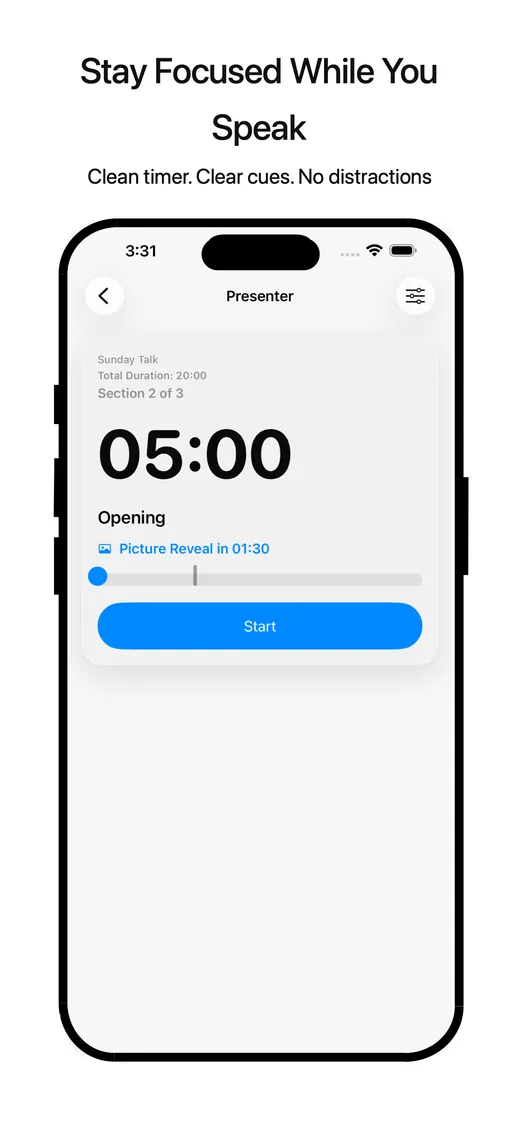
CueDirector helps speakers and operators manage timed parts, cue breaks, media moments, and live flow from iPad, iPhone, and Apple Watch.

Built for calm delivery, clean timing, and better control when a presentation needs to stay on track.

Built for live sessions

  • Timed speaking runs with clear structure
  • Break markers for media, transitions, and moments that matter
  • Speaker and operator workflows built for live use
  • Warnings and overtime awareness without visual clutter
  • Support routes already available for privacy, terms, and help

More than a timer

CueDirector is designed for real presentations where flow, timing, and clarity matter.

What it helps you manage

  • Build timed speaking runs
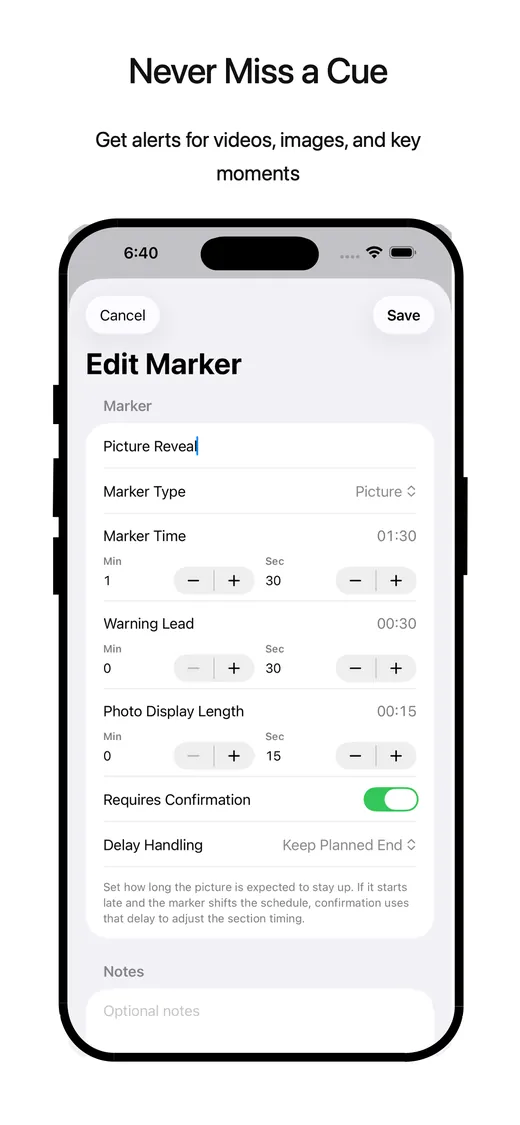
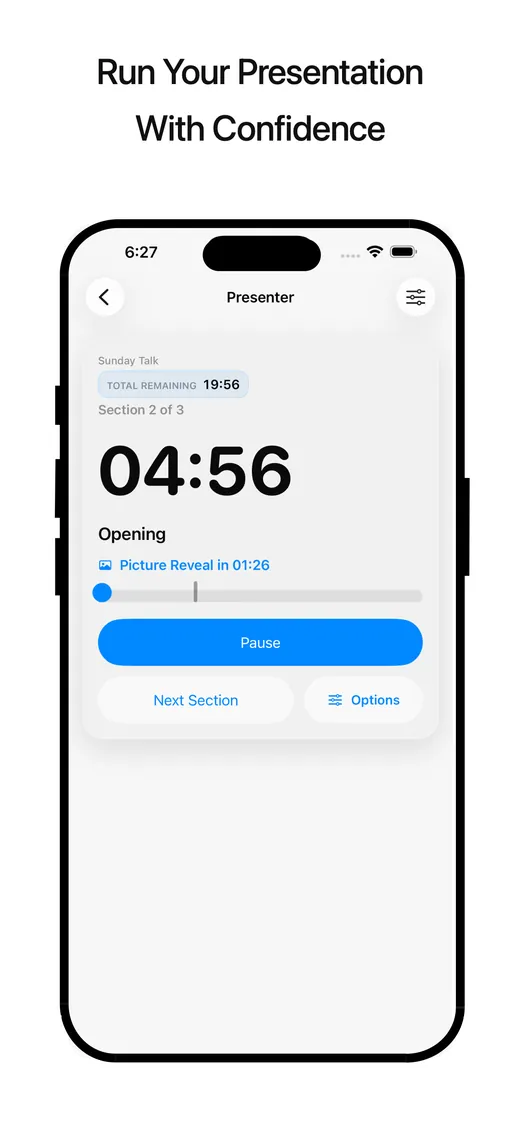
  • Add break markers for video, pictures, and transitions
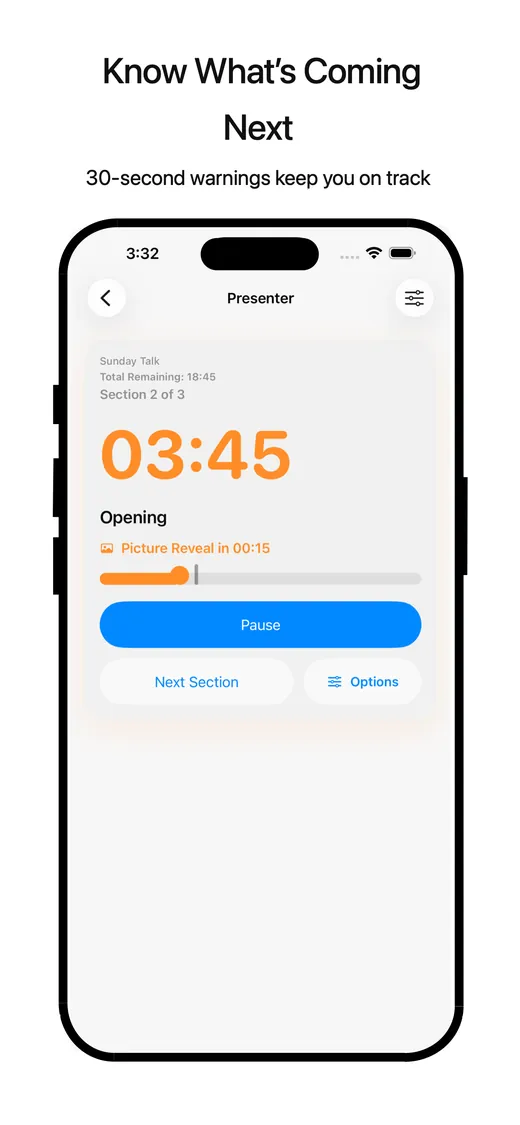
  • Stay on top of live timing with clear warnings
  • Use simplified speaker mode during live delivery
  • Keep flow moving even when media starts late

Why it matters

Live presentations rarely run exactly as planned. CueDirector gives speakers, hosts, and operators a calmer way to track what is happening now, what comes next, and how much time is left without needing to juggle multiple tools.

Key features

A focused feature set for live speaking workflows, not a cluttered production system.

Speaking parts and timed runs

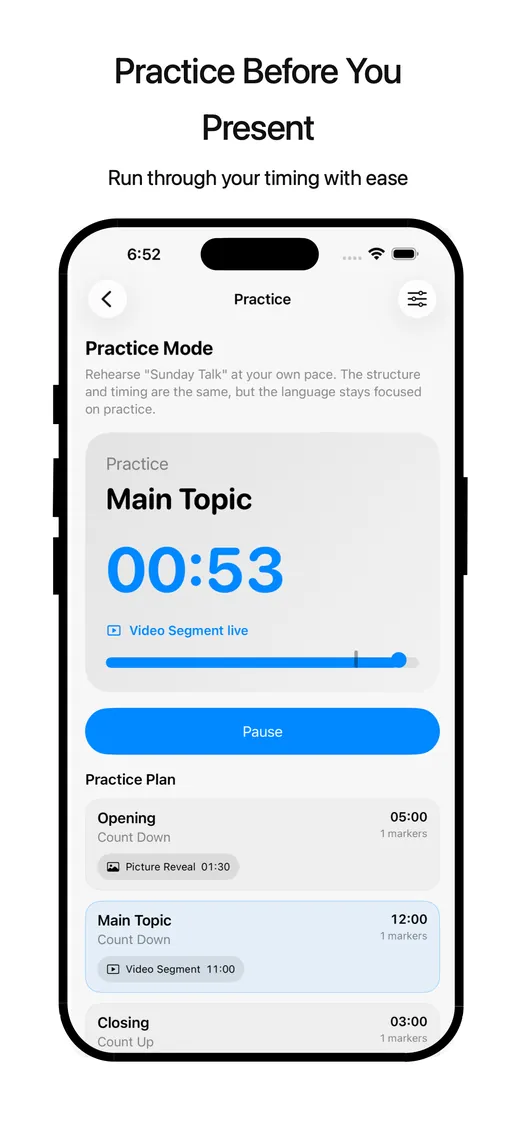
Organize sessions into clear parts so each segment has a place, a duration, and a predictable flow.

Break markers and media cues

Drop markers for videos, images, transitions, or operator handoffs so live timing stays readable.

30-second warnings and overtime states

See upcoming time pressure clearly before a session slips too far past plan.

Speaker Mode

Use a simplified live view when the presenter just needs the essentials in front of them.

Operator controls

Set up runs, manage parts, and keep session timing aligned when someone else is running the room.

Apple platform support

Built for Apple workflows now, with Apple Watch and Live Activity directions positioned carefully for future expansion.
How it works

A simple workflow built around live delivery instead of post-production complexity.

1. Build your run

Set up the overall presentation or event flow before you go live.

2. Add parts and break markers

Map speaking segments, transitions, media moments, and pauses where they belong.

3. Go live in speaker or operator mode

Choose the view that fits who is running the session.

4. Stay in control during the presentation

Track timing, warnings, and flow changes without losing your place.

Who it’s for

CueDirector is built for people who need a calm, dependable live timing tool.

Presenters and speakers

Keep your pacing steady and your next transition clear during live delivery.

Teachers and trainers

Manage timed instruction, activities, and media moments without overcomplicating the room.

Churches and ministry teams

Support speaking parts, service flow, and presentation handoffs with a cleaner timing view.

Live event hosts

Stay aware of time, transitions, and live segments when events need to move smoothly.

Operators managing media timing

Track cues and break points while helping the presentation stay on plan.

Coaches and facilitators

Guide workshops, rehearsals, and timed sessions with less stress and better structure.

Built for Apple platforms

Designed for portable live control and presentation-focused workflows across Apple devices.

iPad

Well suited for live speaker and operator workflows where screen space helps with timing, session parts, and room control.

iPhone

Useful for portable control and quick visibility when a presenter or operator needs flexibility away from a podium or table.

Apple Watch

Companion alerts, haptics, and quick-glance workflows are part of the product direction. Future-facing features will be communicated carefully as they become available.

Availability and Pro planning

CueDirector is being positioned as a professional live tool with room for advanced workflows over time.

Pricing direction

Pricing and Pro packaging are still being finalized. The current direction is a clean entry point with room for more advanced live tools as the product grows.

Need current availability?

If you are evaluating CueDirector for speaking teams, training workflows, or event operations, contact AK Davis Designs for the latest availability and rollout details.

Want a calmer live workflow?

CueDirector is built for teams and speakers who need timing clarity without extra chaos.

Request Demo Contact AK Davis Designs