AK Davis App

LensGuard app icon

Spot AI & smart glasses nearby

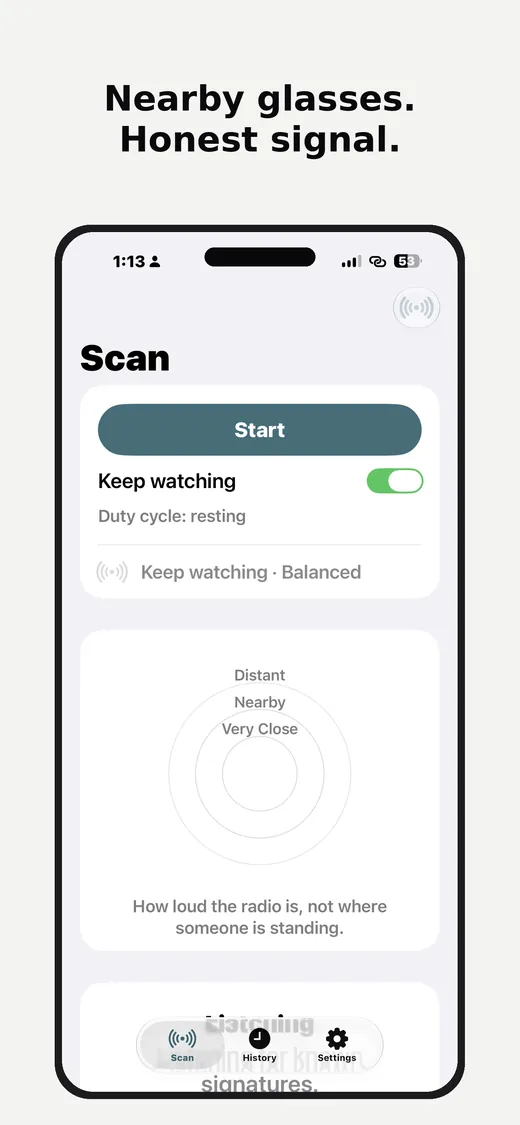
LensGuard is a privacy-first, local-first app for iPhone and Mac from AK Davis Designs. It looks for nearby AI glasses using Bluetooth manufacturer IDs while the app is open on screen.

A signal meter gives a rough sense of how close they might be, and the Everything nearby list shows what it finds. It only detects smart glasses over Bluetooth. No Location, no accounts, no cloud, no ads, no analytics.

On Mac, LensGuard is a menu bar app: it listens over Bluetooth and shows matches in the menu bar. It listens from your menu bar while Listen is on, and keeps your Mac from idle-sleeping while it does. Not always-on, and it doesn’t scan while your Mac sleeps. Scanning continues when only the display turns off, and resumes after your Mac wakes.

iPhone and Mac, local-first

  • Scans over Bluetooth while the app is open, on iPhone and Mac
  • Signal meter and Everything nearby list
  • Report a Device and a one-time High notice
  • Mac menu bar app with matches in the menu bar
  • Keep watching on iPhone while the app is open
  • Last-session widgets on iPhone (Plus)
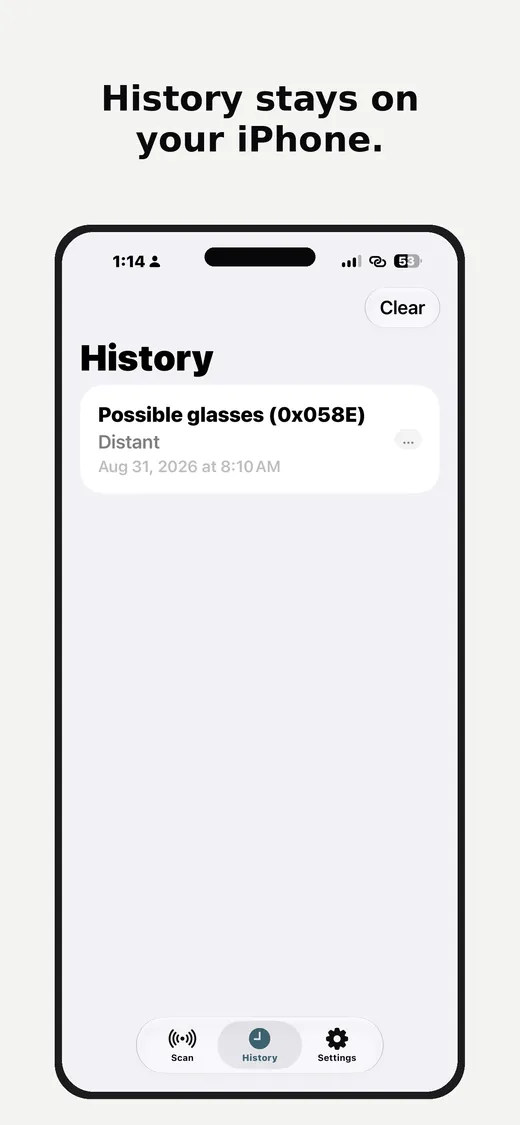
  • Trusted devices and your latest session; full history with Plus
  • Optional headphone tick on iPhone (off by default)

What LensGuard is

A convenience tool for noticing nearby devices. It is not proof of recording.

How detection works

  • Bluetooth manufacturer IDs on your iPhone or Mac
  • On iPhone, scanning runs in the foreground only; on Mac, while Listen is on (it keeps your Mac from idle-sleeping while it does, and doesn’t scan while your Mac sleeps; it keeps scanning when only the display turns off).
  • Keep watching on iPhone is free and runs only while the app is open
  • Results stay on your device

Honesty

LensGuard is not proof that someone is recording. A camera’s LED is the recording indicator. Silence in LensGuard does not mean you are safe.

See LensGuard in action

LensGuard on Mac

A menu bar app. Turn on Listen and matches show in the menu bar panel.

LensGuard menu bar panel on Mac with a Listening switch, a signal meter showing Meta Ray-Ban as Very Close, and the Everything nearby list of Bluetooth devices.
Menu bar panel. The signal meter and the Everything nearby list.
LensGuard History on Mac listing seven sightings with High or Medium match labels and distance bands.
History (Plus). Sightings saved on your Mac.

What’s included

Free: scanning, all matches, the signal meter, Everything nearby, Report a Device, a one-time High notice, your latest session and trusted devices; on iPhone also Keep watching and the headphone tick. LensGuard Plus adds High-match alerts, full history, brand names and Watch again on iPhone and Mac; on iPhone also the Live Activity and Dynamic Island (shown while Keep watching runs with the app open), last-session widgets and a Control Center snooze.

Signal meter

Scans over Bluetooth while the app is open and shows a rough sense of how close smart glasses might be.

Everything nearby

A list of the Bluetooth devices LensGuard sees, with likely glasses marked.

Report a Device

Tell us about glasses LensGuard missed or got wrong.

One-time High notice

A one-time notice when a nearby device closely matches known smart glasses. Repeat High-match alerts are part of LensGuard Plus.

Trusted devices

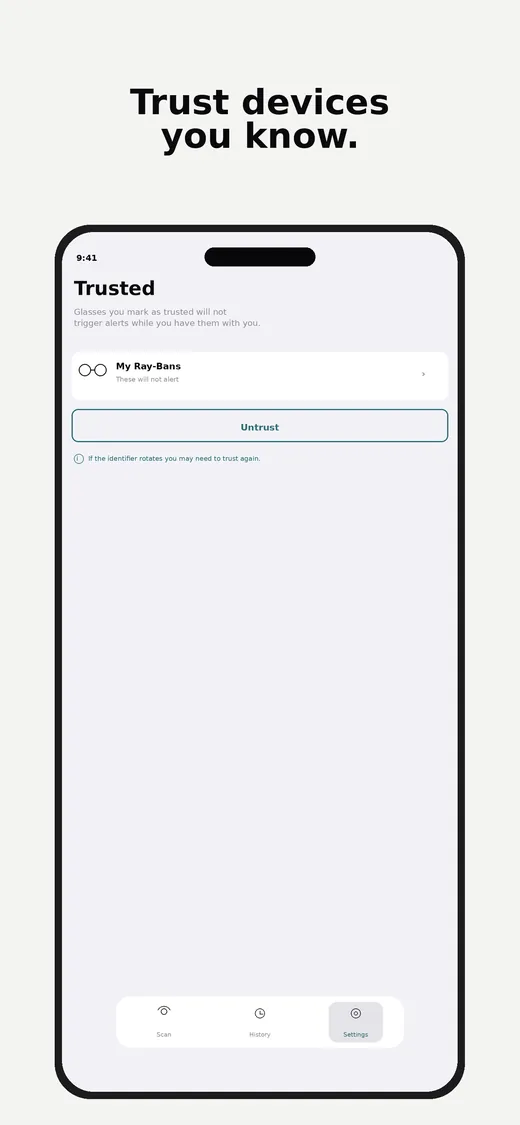
Mark devices you know as trusted so they don’t trigger High alerts or notifications. Trusted devices are stored only on the device. On Mac, mark one from its detail view and a green shield shows in the list.

Latest session and full history (Plus)

Your latest session is free. Full history is part of LensGuard Plus. History stays on your device. There is no LensGuard cloud or account.

High-match alerts, brand names and Watch again (Plus)

High-match alerts (on iPhone with banner, sound and haptic), brand names, and Watch again to re-alert you, on iPhone and Mac. On iPhone, also a Lock Screen and Dynamic Island Live Activity that shows while Keep watching runs with the app open.

Last-session widgets and snooze (Plus, on iPhone)

Home Screen widgets on iPhone that recap your last session, and a Control Center snooze.

Headphone tick (on iPhone)

Optional headphone tick on iPhone is off by default. If you enable it, it plays on your device.

Mac menu bar

On Mac, LensGuard runs from the menu bar. Free: listening, all matches in the menu bar, the signal meter, Everything nearby, Report a Device, a one-time High notice, your latest session and trusted devices. LensGuard Plus adds High-match alerts, full history, brand names and Watch again. The Mac has no Live Activity, Dynamic Island, widgets or headphone tick.

Privacy-first

LensGuard does not use Location on iPhone or Mac. AK Davis Designs does not run a LensGuard cloud backend.

No Location

LensGuard does not request Location permission on iPhone or Mac. On Mac it asks only for Bluetooth and notifications.

No accounts or cloud

No LensGuard accounts, no cloud, no ads, no analytics.

Contact

Developer: AK Davis Designs. Email info@akdavisdesigns.com.

LensGuard Plus

An optional one-time In-App Purchase. One purchase works on iPhone and Mac. The core detector stays free.

Free

Scanning, all matches, the signal meter, Everything nearby, Report a Device, a one-time High notice, your latest session, trusted devices, and the honesty card. On iPhone, Keep watching and the headphone tick. On Mac, listening from the menu bar.

LensGuard Plus, one-time purchase

On iPhone and Mac: High-match alerts, full history, brand names and Watch again. On iPhone also: the Live Activity and Dynamic Island (shown while Keep watching runs with the app open), last-session widgets and a Control Center snooze. On iPhone, High-match alerts use a banner, sound and haptic. One purchase works on iPhone and Mac; use Restore Purchases on the second device. Apple processes the purchase. Price is shown in the app and may vary by region.

Languages

English is included. The app follows the device language, with short Spanish copy in the product.

EN + ES

LensGuard follows the device language. English is the full text. A short Spanish note is included in the app.

Available on the App Store

LensGuard is free on iPhone and Mac. LensGuard Plus is an optional one-time purchase. One purchase works on iPhone and Mac (use Restore Purchases on the second device). Version 1.2 on iPhone and Mac.